ICAP-requests
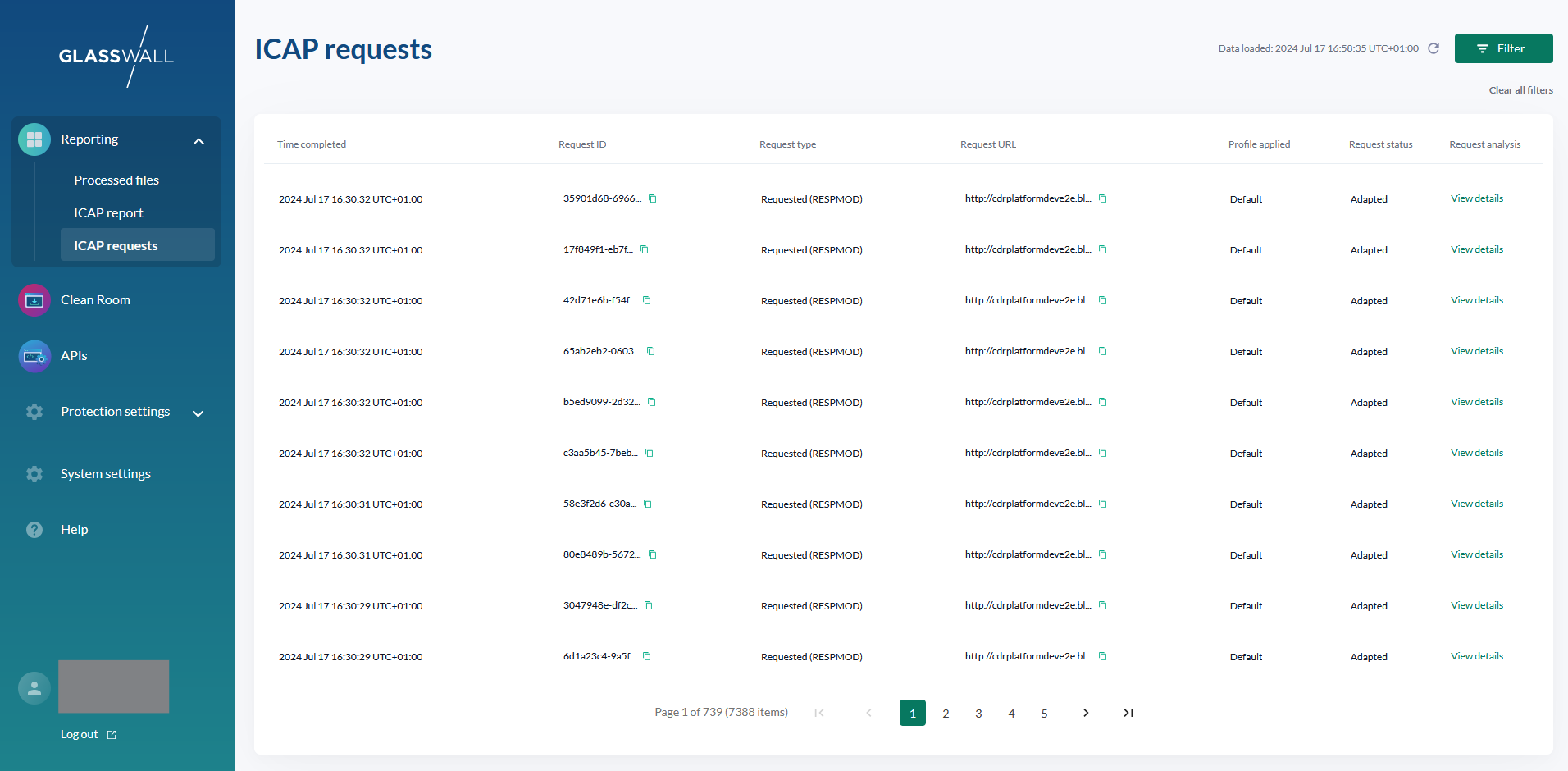
The Halo portal allows you to view an audit trail of the ICAP requests sent to the ICAP server.
Viewable in time order, following key attributes are available for each request:
- Time request was completed
- Unique ID to identify the request
- Type of request:
- Requested, also known as RESPMOD, such as when a user tries to download a file from the internet
- Submitted, also known as REQMOD, such as when a user tries to upload a file into your organisation
- URL of the request
- Profile used for the request, defining whether to process, block or bypass the content
- Status of the request:
- Adapted: request was successfully adapted and contains sanitzied content
- Blocked: request was blocked and content was replaced with report to inform user that type of content is not permitted
- Errored: request could not be processed and was replaced with an error report to inform user
- Bypassed content is not displayed in the list of ICAP requests
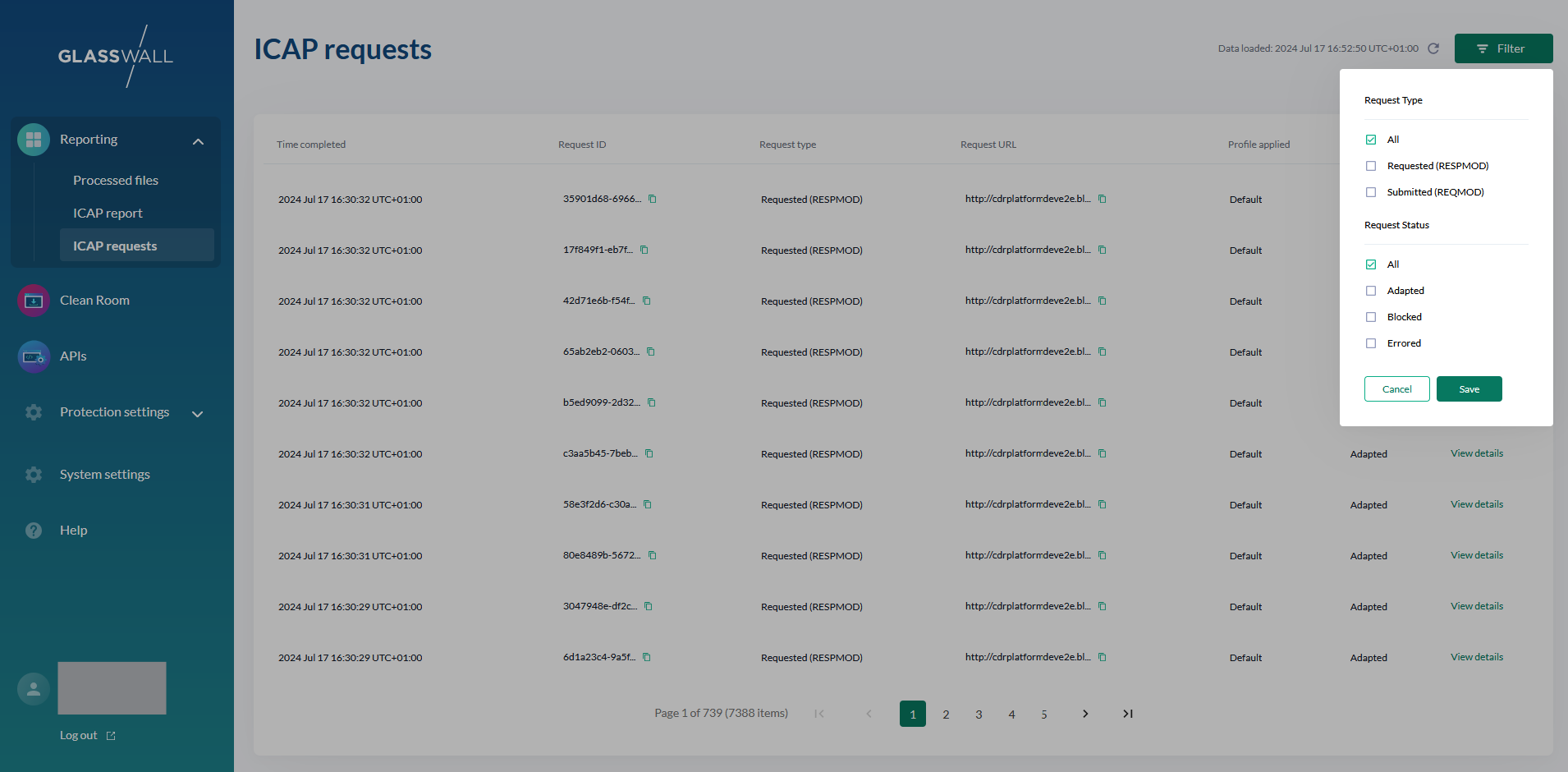
The list of ICAP requests can be filtered on all the possible values of both request type and status.
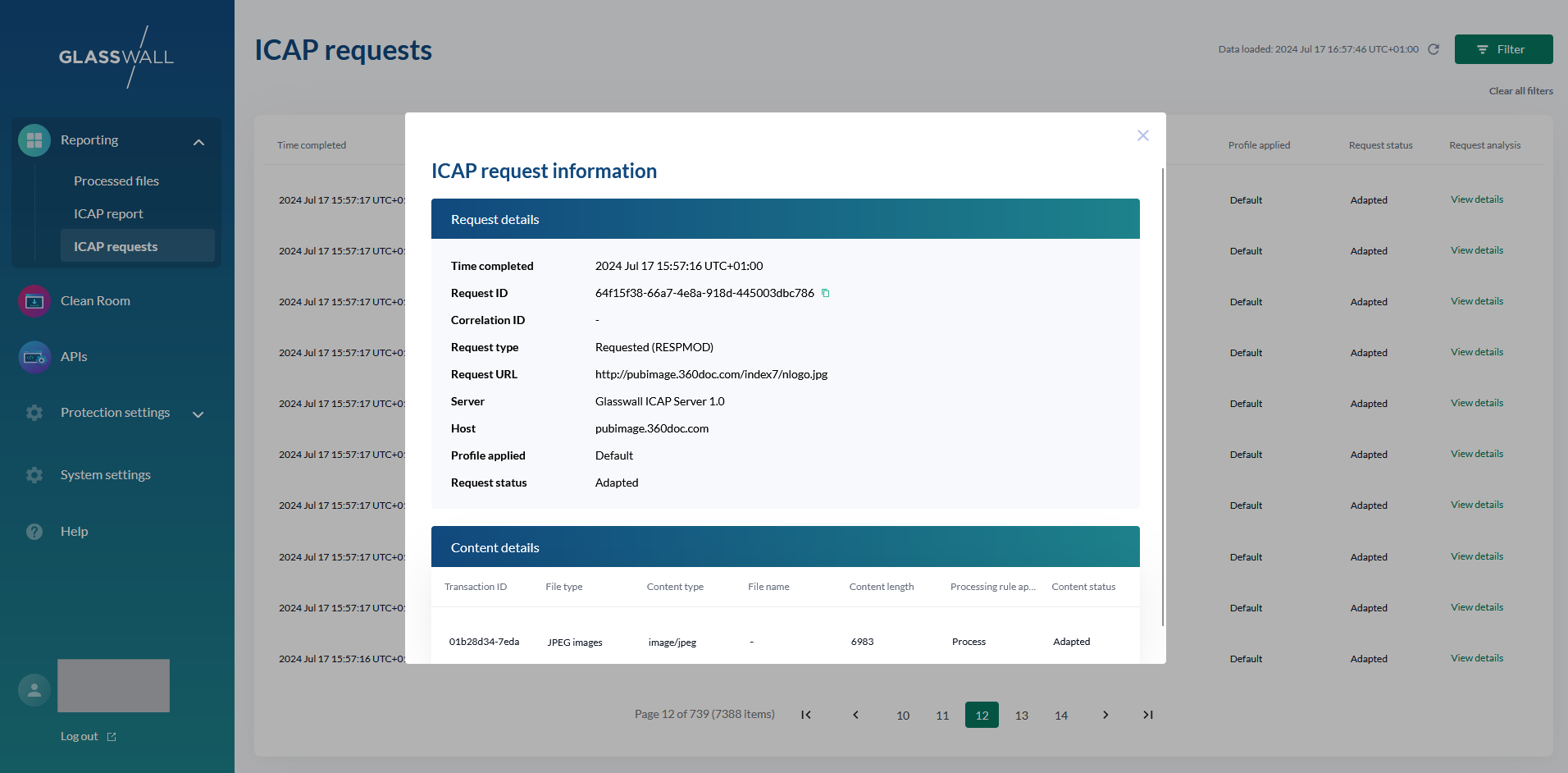
For each request in the list, users can view further details about each piece of content the request contained:
- Unique ID to identify the content processing transaction
- Type of file, if the content type could be mapped to one of Halo's supported file types listed (here)
- Type of content, listed as a Media Type
- A list of all Media Types supported by our ICAP server can be found (here)
- Name of file, if available in the request
- Original length of the content
- Processing rule applied, dervied from the profile provided with the request:
- Process
- Block
- Bypass
- While bypassed requests are not displayed, bypassed content may be displayed as part of a request containing multiple content items
- Status of the content:
- Adapted: content was successfully sanitized
- Blocked: content was blocked from being processed by profile configuration
- Errored: content could not be processed